- System
- Settings
# Settings
Global webBox settings for access, security and connection to external systems.
# Common settings
# Parameters
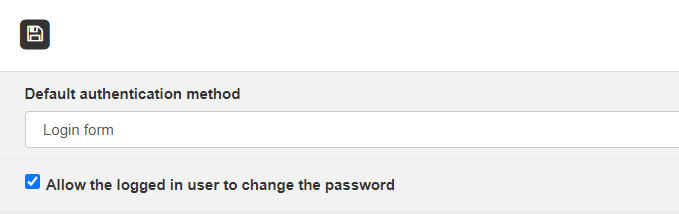
Setting the method of logging into the webBox system.
-
Default authentication method - zvoľte možnosť
- Login form - login through the login screen, see Login to the system
- Microsoft Graph API OAuth 2.0 - logging in through Microsoft 365 account
Important
It is set exclusively in cooperation with a SW technician of APIS spol. s r.o.
- Allow the logged in user to change the password - allow or deny the user to change the password
# Connectors
Connections and their methods with external systems.

# Access blocking
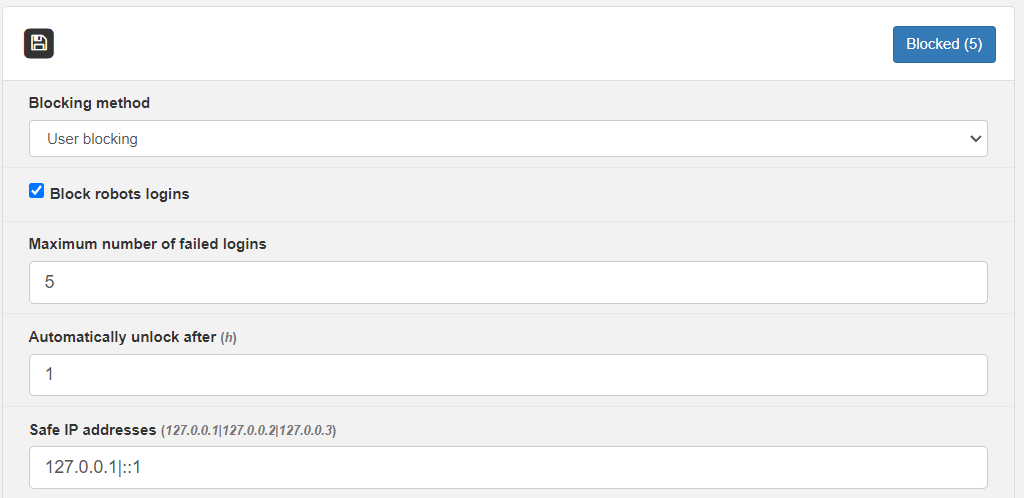
Security tool for blocking unauthorized attempts to login to webBox.
-
Blocking method
- Do not block - repeated login attempts will not be blocked
- User blocking - blocking occurs based on entering an incorrect user name or password (blocks only the given user)
- IP adress blocking - blocking occurs based on entering an incorrect user name or password (it blocks the IP address from which the user is trying to log in. If several users log in from the same IP address - they will all be blocked.
-
Block robots logins - we recommend ticking
-
Maximum number of failed logins - the number of logins after which access will be blocked
-
Automatically unlock after - time in hours after which access will be allowed again (unblocked)
-
Safe IP addresses - a list of IP addresses from which login is considered safe. The user will not be blocked even after unsuccessful login attempts.
# Modules management
Overview of activated modules for the webBox system. The possibility of an overview of active, inactive and all modules.
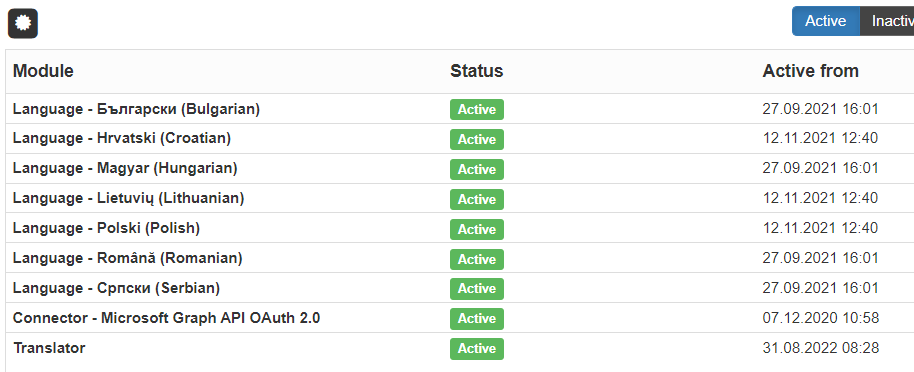
To activate the module, a purchased license from Apis spol. s. r.o. is required. You can activate the license by clicking on  and select from file.
# Documents
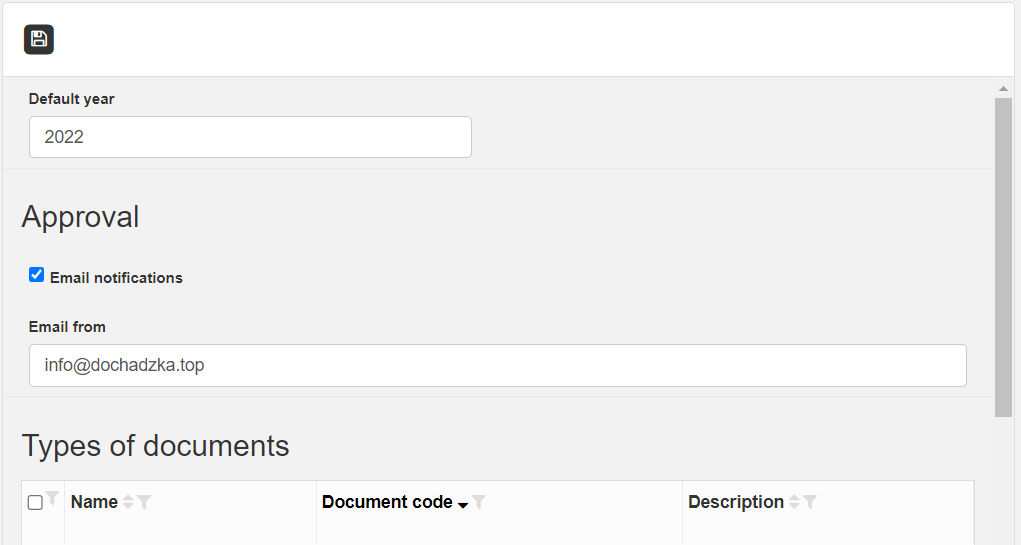
Dial of all existing documents in the webBox system.
-
Default year - the year that appears on the documents
-
Default department code - the code of the department that appears on the documents
# Privileges - System
Defining privileges for the system
# Privileges groups
Defining individual roles.
Use the New group button to define a role (for example admin)
Save 
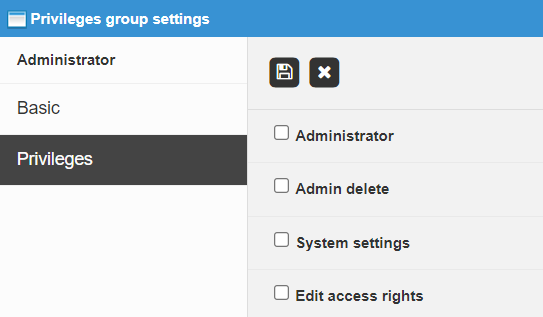
Double-click the role to open and define privileges:
-
Administrator - highest authority, except admin delete
-
Admin delete - complete deletion of the user from all databases, including readers
-
System settings - privileges to change settings for the system
-
Edit access privileges - privileges to change user privileges for individual webBox applications and modules