# Quickly add an employee in the webPatrol application
One of the options for registering a new employee is the wizard in the webPatrol application. This option is useful in the case of an ordinary employee without access rights to the attendance system.
# 1. Creating a new employee
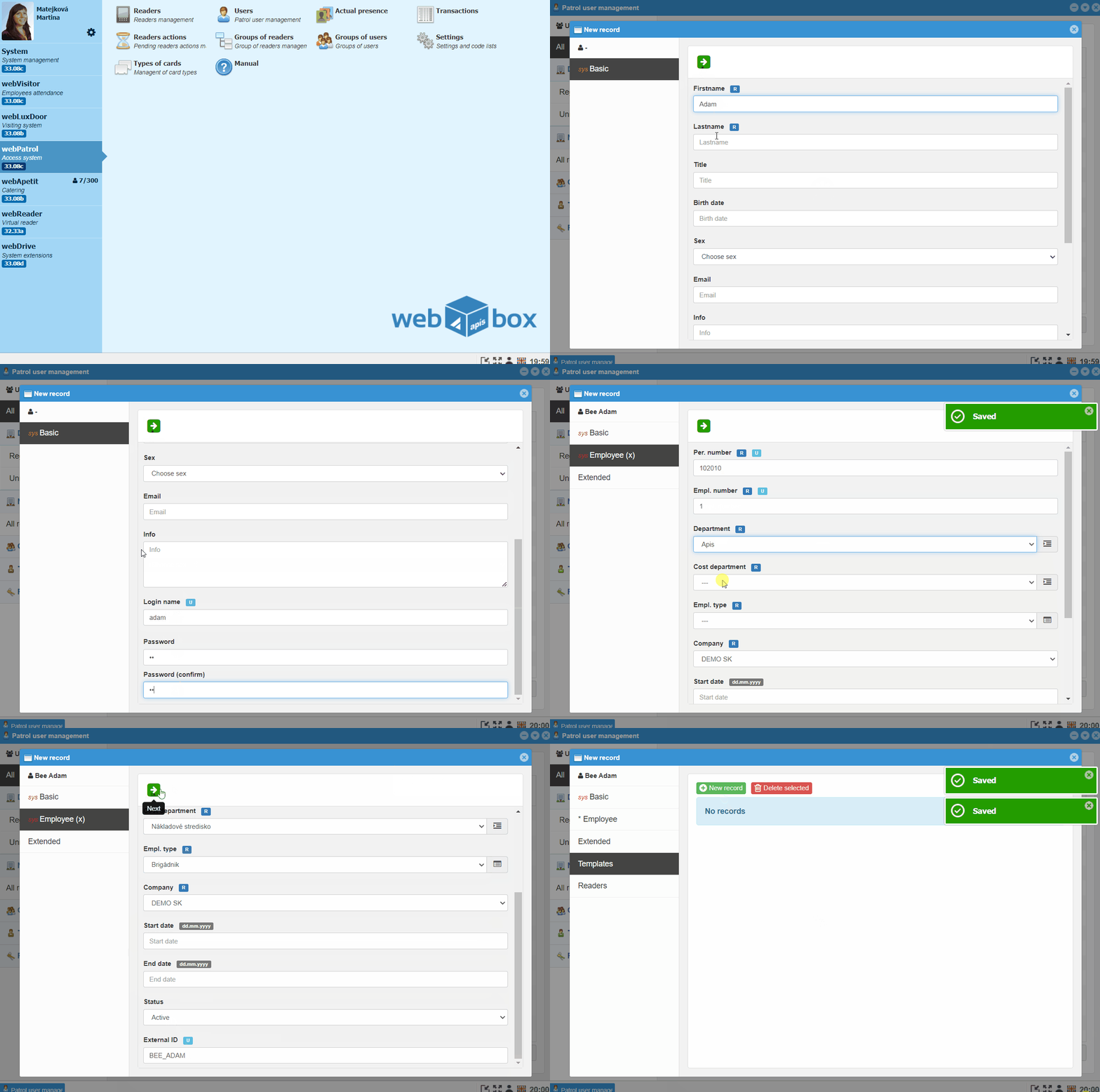
*Open webPatrol and go to Users
- Click the
New recordbutton and fill in First Name and Lastname - Continue by clicking
green → - Fill in Personal number, Employment number, Department and Type of employment
Note
The personal number must match the number in the wages program, enter 1 in the employment number
- Continue by clicking
green → - Enter the employee's personal number in the Pin field
Note
The employee is registered on the attendance reader under the Pin number
- Continue by clicking
green →
Note
The value marked R is required, the value U must be unique, the remaining fields are optional
# 2. Creating a template for the attendance reader
Now you can create an attendance reader template for the employee.