- Tutorials
- Deleting a user template
# Deleting a user template
In the event that the employee terminates the employment or you request to delete his template, proceed with the following procedure.
Important
Changes in this procedure are irreversible!
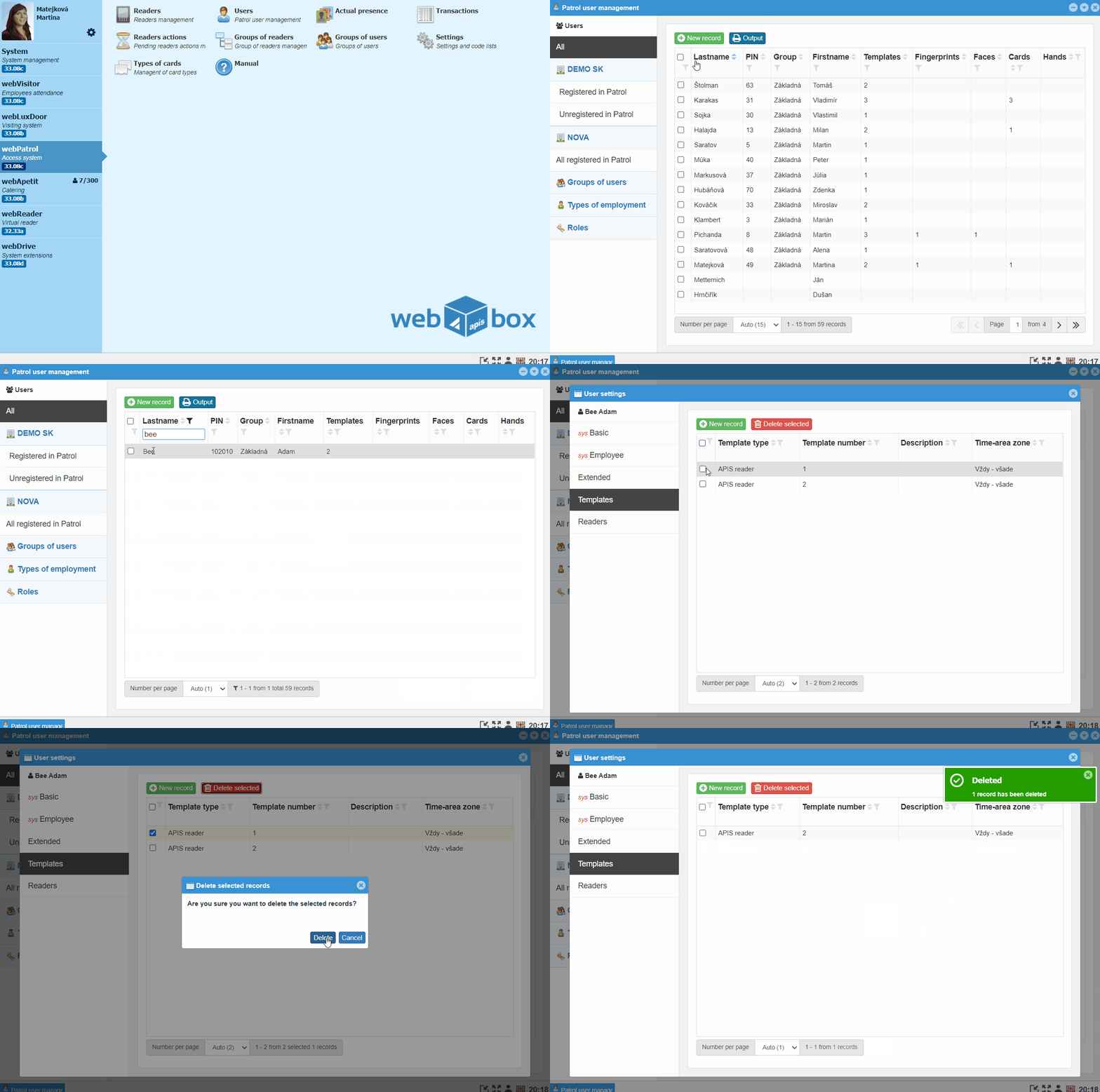
- In the webPatrol module, go to Users and to the tab Registered in Patrol
- Search and
double-clickto open the employee's record - Go to the tab Templates, mark the template and click the button
Delete Marked
Note
In addition to webPatrol, the template is also deleted from the assigned reader.