- webPatrol
- Readers actions
# Readers actions
It is used to control reader actions.
Warning
If the action is in the status Marked for processing and Processing, further actions on the given reader will not take place until these are completed. Therefore, in this case it is better to have the action end with an error.
# Filtering
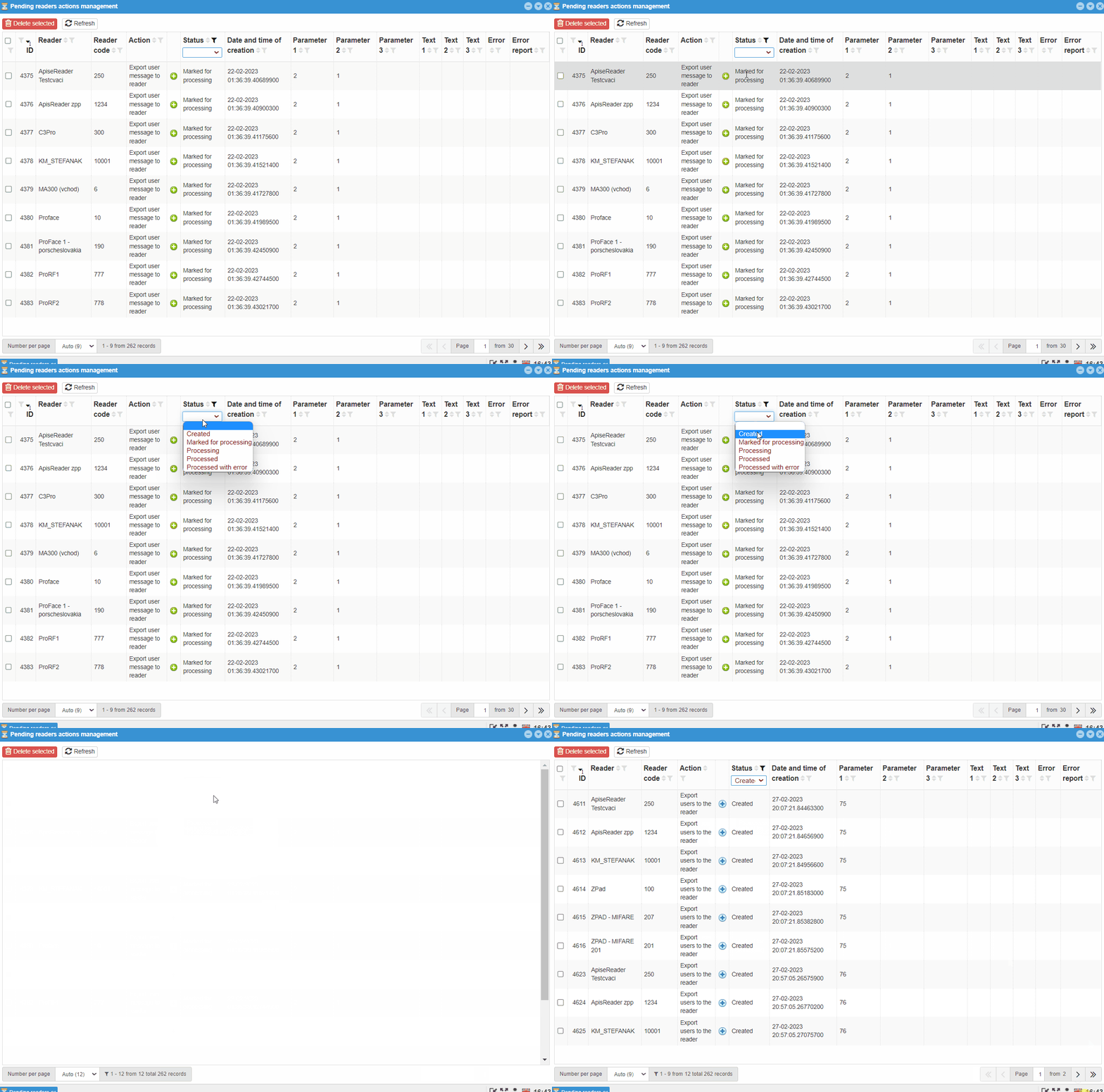
Like most tables in this system, this one can be filtered. This is filtering by:
-
ID -
Reader -
Reader code -
Action -
Status -
Date and time of creation -
Parameter 1 -
Parameter 2 -
Parameter 3 -
Text 1 -
Text 2 -
Text 3 -
Error -
Error report
On some filters such as Reader, Action, Status you can choose from options other than e.g. Date and time of creation, Text 1, Text 2, Text 3, it is necessary to fill the filter condition with the searched text.
# ID
ID is the serial number of the action. Action numbers are not deleted, even if they can no longer be seen in Readers Actions.
# Reader and reader code
Filter Reader searches for the specified pattern in the names of the readers for which the action was intended. The Reader Code filter works the same way, but searches in the reader code. Both parameters are set in Reader- reader management in an individual reader.
# Action
The Action filter divides the records according to the actions that the reader should perform during this action. So there is a possibility of more choice:
-
Refresh all reader settings- deleting the readerand recreating the reader with downloading the reader settings -
Export parameter to the reader- sending the setting to the reader -
Export user to the reader- synchronizing the user's templates to the reader, will only transfer the discrepancies -
Export users to the reader- adding users to the reader -
Deleting users from the reader- removal of user templates of a given reader type from webPatrol -
Delete all users from the reader- removing templates from all users at the same time -
Loading users from the reader- import of users from the reader to the server -
Loading all users from the reader- import of all users from the reader to the server -
Export all users to the reader- reader synchronization with the option to synchronize all users to selected readers -
Export user message to the reader- intended for updating information for the user, is carried out automatically. Updates information such as:-
Balance -
Fund -
Holiday - balance -
User message 1 -
User message 2 -
User message 3 -
All user messages
-
-
Export all user messages to the reader- export messages to all users on the reader -
Export group of users to the reader- export of users who use settings from the User groups code list -
Export group of users to the reader- export user who uses the settings from the User groups code list -
Deleting a group of users from the reader- delete users using the User Groups setting -
Reader upgrade- detection of the reader version, update if the version is older -
Loading users list from reader- import of basic user information located on the reader into the table -
Creating a template from the data-creating a blank template on the reader and sending it to the server -
Enable user- enables / disables the user -
Date and time settings- updating the date and time on the reader -
Initialization- initial setting of the reader -
Export button settings to the reader- sending the current button setting to the given reader -
Export messages to the reader- sending messages from the server, from reader settings - Settings by reader type - Messages; these messages are displayed to every user -
Export breaks to reader- sending breaks to the reader -
Export information about associated reader -
Delete the associated reader -
Delete all associated readers -
Export of time zones to the reader-sending the time zone setting to the reader -
Read button settings from reader -
Reading messages from the reader -
Reading breaks from the reader -
Reading parameters from the reader -
Loading version from reader -
Reading time zones from the reader
# Status
Reader actions can also be divided by the Status filter:
-
Created- actions proposed by the system are also included among the created reader actions, e.g. then as the user changes the template, but does not synchronize it with the readers where the original template is located -
Marked for processing- reader actions to be sent to the reader, but the connection between the server and the reader has not yet been established *1 -
Processing- reader actions have been sent to the reader and are taking place on the reader *2 -
Processed- reader actions were processed without errors -
Processed with error- processing of reader actions took place, but an error occurred somewhere *3
Information
*1 Marking an action with this status for a long time may indicate a problem in the network elements, in the network.
*2 Marking an action with this status for a long time may indicate a processing problem.
*3 In this case, it is necessary to find out what problem has occurred and eliminate it.
Examples
Processing:
The user removes the card template of another user. He does not synchronize this change with the reader and then assigns the given card to another user. When entering the synchronization of only changed ones, the reader will not delete users with their templates and therefore, when processing the command, it will try to assign the card to the user, but it will not be able to, because it is owned by another user.
Processed with error:
The user synchronizes a large number of changes and only one of them will occur, or a limited number of changes will occur with an error state, which will end the action and thus not be fulfilled in its entirety.
# Date and time of creation
This creation date and time filter is a bit different from other time/date filters. It searches for everything that contains characters entered by the user, i.e. also "4.7", for other time/date filters it is necessary to enter the entire date and time in the correct format.
Example
This filter also accepts "4.7", or "13:15".
For others, it is necessary to enter the correct format, i.e.: "10.5.2022 09:40:00".
# Others
Others include:
-
Parameter 1to3 -
Text 1to3 -
Error -
Error report
These filters are intended more for the software technician / programmer.
# Error
The error filter includes:
-
Timeout- the action took longer than the specified time -
Sync error