- webVisitor
- About webVisitore
# About webVisitore
# Basic concepts
Transaction - Time record from the terminal about arrival or deparature from work and slected break.
Balance - It represents the difference between the recognized working time and the working time fund for a given time period (day/month). the balance can be positive or negative depending on whether more or less hours are worked than what is set in working time fund.
Accepted - Worked time with deducted breaks at work after rounding the beginning and end of the work time.
Work time fund - The time that the employee should be working for the given period of time (per 1 shift or per 1 month).
Automats - (specific functions of webVisitor)
They make specific adjustments to breaks:
- completion of incomplete breaks that lack an end or a beginning
- correction of the length of breaks by shortening (maximum) or extending (minimum)
- generation of breaks - for example, inserting a lunch break
The automats are started automatically when attendance is recalculated or manually.
Common setting - global attendance settings (export to wages, attendance period, etc.)
Group settings - settings of specific attendance rules (for individuals and groups).
# How to log in to the attendance system webVisitor
You can log in to the system using the link assigned to you by the SW technician and using:
- Login screen:

or through
- Microsoft account 365:

Note
Only clients in the cloud can log in through Microsoft account 365.
# WebVisitor home screen
The interface of the webVisitor home screen depends on the assigned permissions, see - link
System Administrator Home Screen:
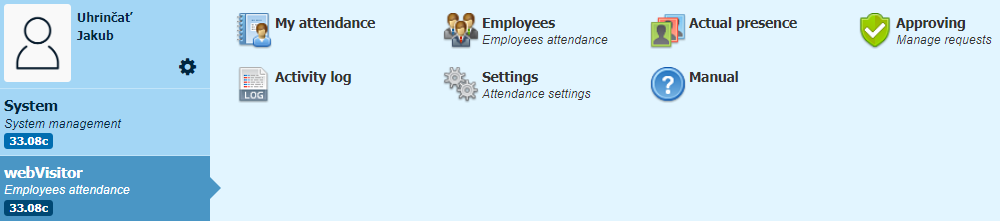
Work modules are displayed on the administrator's home screen, with which the administrator can set and change the rules for calculating attendance and also process attendance.
The home screen of a regular user with browser permission:
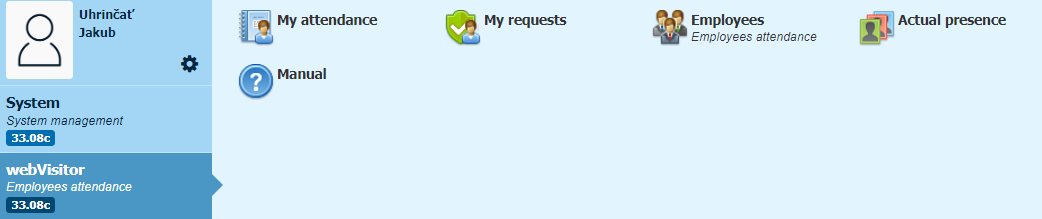
Modules are displayed on the home screen of the browser, in which the employee can view his attendance, or send a request for break, etc.